The Complete Guide to Digital Skills for Beginners
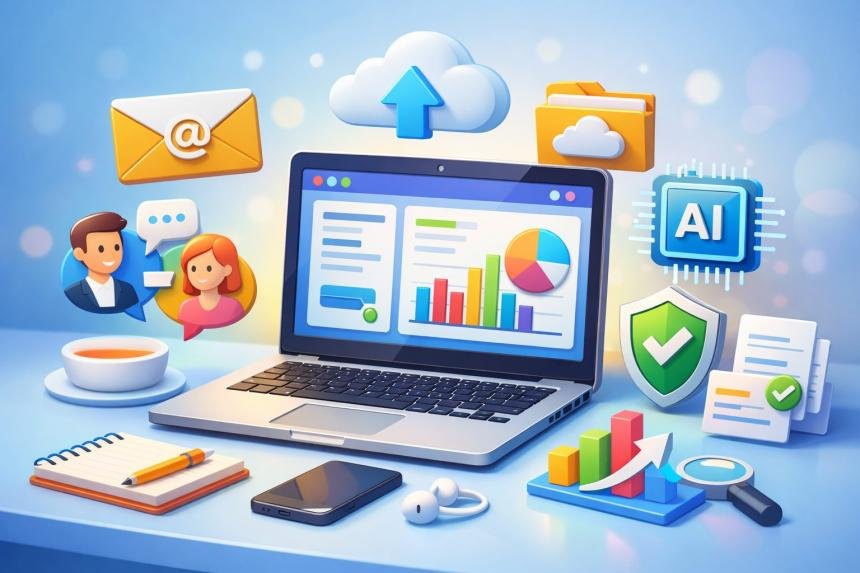
We live in a world where almost everything is connected to technology. From sending emails and attending virtual meetings to shopping online and learning new skills, digital tools have become a part of everyday life.
Whether you realize it or not, digital skills now influence how we work, communicate, learn, and even solve problems.
But here’s the challenge: many people still feel overwhelmed when it comes to technology.
Maybe you’ve wondered:
- How do I use digital tools confidently?
- Which computer skills are actually important?
- Where should beginners start learning digital skills?
- Do I need advanced technical knowledge to succeed in today’s digital world?
The good news is that you don’t need to be a technology expert to develop strong digital skills. Like any other skill, digital skills can be learned step‑by‑step with the right guidance and consistent practice.
In fact, developing digital skills today can open doors to many opportunities, including:
- Better job opportunities
- Remote work possibilities
- Improved productivity
- Access to unlimited learning resources
- The ability to create and share ideas online
Simply put, digital skills are no longer optional — they are essential life skills.
Think about it this way: just as reading and writing became necessary skills in the past, digital literacy has become one of the most important skills of the modern world. The ability to use computers, navigate the internet, communicate online, and protect your digital information is now required in nearly every industry and profession. Even small businesses, students, entrepreneurs, and freelancers rely heavily on digital tools to succeed. The purpose of this guide is to help beginners understand digital skills from the ground up.
Instead of overwhelming you with technical jargon, this guide will walk you through the most important digital skills in a clear and practical way. You will learn:
- What digital skills actually are
- Why they are important today
- The core digital skills every beginner should learn
- Tools that can improve your productivity
- How to stay safe online
- How digital skills can improve your career and opportunities
By the end of this guide, you will have a solid understanding of the digital world and the confidence to continue building your digital skills step by step.
Whether you are a student, job seeker, entrepreneur, or simply someone who wants to feel more comfortable with technology, this guide is designed to help you start your digital skills journey with clarity and confidence.
And remember: every digital expert today was once a beginner.
The most important step is simply getting started.
Let’s begin by understanding one simple question:
What Are Digital Skills?
Before learning how to improve your digital skills, it’s important to first understand what digital skills actually mean.
In simple terms, digital skills are the abilities required to use digital devices, software, and the internet effectively and responsibly.
These skills allow people to interact with technology in a productive way. Whether someone is writing a document, sending an email, attending an online meeting, or searching for information on the internet, they are using digital skills.
Digital skills include many everyday activities such as:
- Using a computer or smartphone
- Browsing the internet
- Writing and sending emails
- Creating documents and presentations
- Managing digital files
- Communicating through online platforms
- Protecting personal information online
At first glance, these activities might seem simple. However, together they form a powerful set of skills that help people participate fully in the modern digital world.
For example, imagine a student working on a school project. They might need to search for information online, organize their notes using digital tools, create a presentation, and share it with their teacher. Each of these tasks involves digital skills.
Similarly, a professional working in an office may need to send emails, collaborate with team members through online platforms, manage spreadsheets, and attend virtual meetings. Again, all of these activities rely on digital skills.
Even small business owners rely on digital skills every day. They may use digital tools to communicate with customers, manage finances, promote their products online, and analyze business performance.
In other words, digital skills are no longer limited to technology professionals. They are essential for almost everyone.
Digital Skills vs Digital Literacy
You may sometimes hear the term digital literacy used alongside digital skills.
Although they are closely related, there is a small difference.
Digital skills refer to the practical abilities required to use technology, such as operating software or using online tools.
Digital literacy, on the other hand, is a broader concept. It includes not only the ability to use technology but also the ability to:
- Understand digital information
- Evaluate the reliability of online sources
- Communicate responsibly online
- Use technology ethically and safely
Think of it this way:
Digital skills help you use technology, while digital literacy helps you understand and use technology wisely.
Both are important for navigating today’s digital world.
Examples of Everyday Digital Skills
To better understand digital skills, let’s look at some common examples that many people use every day.
Basic Computer Skills
These include fundamental abilities such as:
- Turning on and operating a computer
- Using a mouse and keyboard
- Opening and closing applications
- Managing files and folders
These are often the first digital skills beginners learn.
Internet Navigation
The internet is one of the most powerful tools available today. Digital skills help people use it effectively by allowing them to:
- Use search engines to find information
- Browse websites
- Download files
- Access online learning resources
Knowing how to search for accurate information online is a valuable skill for students, professionals, and researchers alike.
Online Communication
Digital communication skills are also extremely important. These include:
- Writing emails
- Participating in video calls
- Sending messages through collaboration platforms
- Communicating professionally online
In many workplaces, digital communication has become the primary way teams interact and collaborate.
Using Productivity Tools
Another important area of digital skills involves the use of productivity tools such as:
- Word processing software for documents
- Spreadsheet tools for organizing data
- Presentation tools for sharing ideas
- Project management tools for tracking tasks
These tools help individuals and organizations work more efficiently and stay organized.
Online Safety and Security
As technology becomes more integrated into daily life, protecting personal information online has become essential.
Important digital safety skills include:
- Creating strong passwords
- Recognizing suspicious emails or scams
- Protecting personal information online
- Understanding privacy settings
Developing these skills helps users navigate the internet safely and confidently.
Why Digital Skills Are Essential in Today’s World
Now that we understand what digital skills are, the next important question is:
Why are digital skills so important today?
Technology has transformed nearly every aspect of modern life — from education and business to healthcare and entertainment.
People who develop strong digital skills can take advantage of these opportunities, while those who lack them may struggle to keep up.
In the next section, we will explore why digital skills have become one of the most important skills of the 21st century and how they can open doors to new opportunities.
Why Digital Skills Are Important in Today’s World
Over the past two decades, technology has changed the way people live, learn, and work. Today, almost every aspect of modern life involves some form of digital technology. From sending emails and attending virtual meetings to managing finances online and accessing educational resources, digital tools are now deeply integrated into our daily routines.
Because of this shift, digital skills have become one of the most important skills anyone can develop.
In the past, basic literacy reading and writing was considered essential for participating in society. Today, the ability to understand and use digital technology has become just as important. Without digital skills, it can be difficult to keep up with modern education, employment opportunities, and communication systems.
Let’s explore some of the key reasons why digital skills are so important today.
1. Digital Skills Open the Door to More Job Opportunities
One of the biggest reasons digital skills matter is because they are now required in many jobs.
Employers across industries expect workers to be comfortable using digital tools. Even roles that were traditionally not technology-focused now involve digital tasks such as:
- Writing emails
- Managing spreadsheets
- Using online communication platforms
- Working with digital documents
- Attending virtual meetings
For example, a marketing professional might use digital tools to analyze data and communicate with clients, while a teacher might use online platforms to deliver lessons and manage assignments.
Even small businesses rely on digital tools for things like accounting, customer communication, and marketing.
In fact, many modern jobs require at least basic digital skills, and having stronger digital abilities can make candidates more competitive in the job market.
2. Digital Skills Improve Productivity and Efficiency
Technology allows people to complete tasks faster and more efficiently. When individuals know how to use digital tools properly, they can save time and improve their productivity.
For instance, productivity software like word processors, spreadsheets, and task management tools help individuals organize their work, collaborate with others, and track progress more effectively.
Instead of manually organizing information on paper, digital tools allow users to store, edit, and share data instantly.
This means that people with good digital skills are often able to work smarter, not just harder.
3. Digital Skills Provide Access to Unlimited Learning
One of the greatest benefits of the digital world is access to information.
The internet has made it possible for people to learn almost anything online. Educational platforms, digital libraries, online courses, and tutorials allow individuals to develop new skills from anywhere in the world.
Students can research topics, watch educational videos, and participate in online classes. Professionals can learn new tools or improve their expertise through online training programs.
With the right digital skills, the internet becomes a powerful learning environment that supports lifelong education.
4. Digital Skills Enable Better Communication
Communication has also been transformed by digital technology.
People now connect through:
- Messaging platforms
- Video calls
- Online collaboration tools
These digital communication methods allow individuals to collaborate with people across different cities, countries, and time zones.
For example, remote work has become increasingly common, and teams often rely on digital communication tools to coordinate projects and share ideas.
Learning how to communicate effectively using digital platforms helps individuals build stronger professional relationships and work more efficiently with others.
5. Digital Skills Help People Stay Safe Online
While the internet offers many opportunities, it also comes with risks. Cybersecurity threats such as phishing scams, data breaches, and online fraud have become more common.
This is why digital safety skills are extremely important.
People who understand online safety can protect themselves by learning how to:
- Recognize suspicious emails or links
- Create strong passwords
- Protect personal information
- Manage privacy settings
- Avoid online scams
Developing these skills helps users navigate the internet with greater confidence and security.
6. Digital Skills Empower Entrepreneurs and Creators
Technology has also created new opportunities for entrepreneurs, freelancers, and content creators.
With the help of digital tools, individuals can:
- Start online businesses
- Create blogs or websites
- Sell digital products
- Offer freelance services
- Build audiences through digital platforms
Many successful businesses today operate entirely online. This means that people who develop digital skills can explore creative ways to share their knowledge, build brands, and generate income through the internet.
The Growing Importance of Digital Skills
As technology continues to evolve, digital skills will become even more important in the future.
Artificial intelligence, automation, cloud computing, and data analytics are transforming industries around the world. While these technologies may seem complex, the foundation of understanding them begins with basic digital skills.
The more comfortable people become with digital tools, the easier it becomes to adapt to new technologies and opportunities.
This is why developing digital skills is not just about keeping up with technology—it is about preparing for the future.
The Good News: Anyone Can Learn Digital Skills
The most encouraging thing about digital skills is that anyone can learn them.
You don’t need to be a programmer, engineer, or technology expert to start developing digital abilities. Many digital skills can be learned gradually through practice, curiosity, and the right guidance.
By starting with the basics and steadily building your knowledge, you can develop the confidence needed to navigate the digital world effectively.
And that’s exactly what this guide is designed to help you do.
The Core Types of Digital Skills Every Beginner Should Learn
Digital skills cover a wide range of abilities, from basic computer use to advanced technological knowledge. However, for beginners, it is helpful to understand digital skills by breaking them into clear categories.
Instead of trying to learn everything at once, beginners can focus on developing skills step by step across several key areas.
Most digital skills fall into five main categories:
- Basic Computer Skills
- Internet and Information Skills
- Digital Communication Skills
- Productivity Software Skills
- Cybersecurity and Digital Safety
Together, these skills form the foundation of digital literacy. Once a person becomes comfortable in these areas, it becomes much easier to learn more advanced digital technologies later.
Let’s explore each of these categories in detail.
1. Basic Computer Skills
Basic computer skills are the starting point for all digital learning. Before someone can take advantage of online tools, productivity software, or advanced technologies, they first need to understand how to operate a computer.
These foundational skills allow users to interact confidently with digital devices and perform everyday tasks efficiently.
For beginners, basic computer skills typically include learning how to:
- Turn a computer on and off properly
- Use a keyboard and mouse
- Open and close applications
- Navigate an operating system
- Manage files and folders
- Install or update basic software
Although these tasks may seem simple, they are extremely important because they provide the foundation for all other digital skills.
For example, when someone understands how files and folders work, they can organize documents more effectively. When they know how to open and manage applications, they can easily switch between different tools and tasks.
Understanding Operating Systems
An operating system is the software that allows a computer to function and interact with users. It manages hardware resources, runs applications, and provides the interface people use to navigate their devices.
Some of the most widely used operating systems include:
- Windows
- macOS
- Linux
- Android
- iOS
Each operating system has its own design and features, but the basic principles of using them are similar. Once someone understands how to navigate one system, it becomes easier to learn others.
File and Folder Management
Another essential digital skill is learning how to organize files on a computer.
Files can include many types of digital content, such as:
- Documents
- Images
- Videos
- Presentations
- Spreadsheets
Folders help users organize these files so they can easily find them later.
For example, a student might create separate folders for different subjects, while a business professional might organize documents by project or department.
Good file management habits help keep digital workspaces organized, efficient, and easy to navigate.
Keyboard and Typing Skills
Typing is another important skill for working with computers. Being able to type quickly and accurately allows people to write documents, communicate through email, and complete tasks more efficiently.
Many beginners start by learning basic typing techniques, including:
- Proper finger placement on the keyboard
- Practicing typing speed and accuracy
- Using common keyboard shortcuts
Over time, improving typing skills can significantly increase productivity.
2. Internet and Information Skills
The internet is one of the most powerful tools available in the modern digital world. However, simply having access to the internet is not enough. People also need the ability to use it effectively and responsibly.
Internet and information skills focus on helping users navigate the online world, search for information, and evaluate the reliability of digital content.
Using Web Browsers
A web browser is the software used to access websites on the internet.
Popular browsers include:
- Google Chrome
- Mozilla Firefox
- Microsoft Edge
- Safari
Learning how to use a browser allows users to:
- Visit websites
- Open multiple tabs
- Bookmark useful pages
- Download files
- Manage browsing history
These basic skills make internet navigation much easier.
Searching for Information Online
Search engines allow users to find information quickly.
One of the most widely used search engines is Google, which helps people locate websites, articles, images, and videos related to their search queries.
However, effective online searching requires more than simply typing words into a search box. Users must also learn how to:
- Choose the right keywords
- Compare different sources
- Verify information before trusting it
These abilities are part of what is known as information literacy.
Evaluating Online Information
Not all information found online is accurate or reliable. For this reason, it is important for internet users to learn how to evaluate sources critically.
Some helpful questions to ask when reviewing online information include:
- Who created this content?
- Is the source trustworthy or well-known?
- Is the information supported by evidence?
- Is the content current and up to date?
Developing these habits helps individuals avoid misinformation and make better decisions based on reliable information.
3. Digital Communication Skills
Communication is one of the most important uses of digital technology. Whether people are working remotely, collaborating on projects, or staying connected with friends and family, digital communication tools play a central role in modern life.
Digital communication skills focus on using technology to exchange information clearly and professionally.
Email Communication
Email remains one of the most widely used forms of digital communication.
Learning how to write clear and professional emails is an important skill in both academic and professional environments.
Effective email communication often includes:
- Writing clear subject lines
- Using polite and professional language
- Structuring messages logically
- Responding in a timely manner
These habits help create better communication and stronger relationships.
Video Conferencing
Video conferencing tools allow people to communicate face-to-face through the internet.
Popular platforms include tools such as Zoom, Microsoft Teams, and Google Meet.
These platforms are commonly used for:
- Online meetings
- Remote work collaboration
- Virtual classrooms
- Interviews and presentations
Knowing how to join meetings, manage audio and video settings, and participate professionally in online discussions is an important digital skill.
Online Collaboration Tools
Many organizations use digital collaboration tools that allow teams to work together even when they are in different locations.
These tools allow users to:
- Share documents
- Assign tasks
- Track project progress
- Communicate in real time
Learning how to collaborate effectively through digital platforms is becoming increasingly important in modern workplaces.
4. Productivity Software Skills
One of the most valuable aspects of digital skills is the ability to use productivity software effectively. These tools help individuals create documents, organize information, analyze data, and present ideas clearly.
In schools, workplaces, and businesses around the world, productivity software has become a core part of daily work. People use these tools to write reports, prepare presentations, manage budgets, and collaborate with colleagues.
For beginners, learning how to use productivity software can dramatically improve efficiency and organization.
The three most common categories of productivity tools include:
- Word processing software
- Spreadsheet software
- Presentation software
Mastering these tools provides a strong foundation for working in modern digital environments.
Word Processing Software
Word processing tools allow users to create and edit written documents digitally. These tools are widely used for writing reports, essays, business proposals, and many other types of documents.
Some popular word processing tools include:
- Microsoft Word
- Google Docs
- LibreOffice Writer
These applications provide features that make writing and formatting documents easier. Users can change fonts, add headings, insert images, and organize information in a clear structure.
For beginners, important word processing skills include:
- Creating and saving documents
- Formatting text and headings
- Inserting images and tables
- Using spell check and grammar tools
- Sharing documents with others
Many modern word processors also support real-time collaboration, allowing multiple people to work on the same document simultaneously. This makes teamwork and project collaboration much easier.
Spreadsheet Software
Spreadsheets are powerful tools used to organize and analyze data. They are commonly used in businesses, education, and personal finance management.
Some widely used spreadsheet tools include:
- Microsoft Excel
- Google Sheets
- LibreOffice Calc
Spreadsheets allow users to organize information into rows and columns. This structure makes it easy to track numbers, calculate totals, and analyze data.
Common spreadsheet tasks include:
- Creating data tables
- Performing calculations using formulas
- Organizing financial records
- Tracking project progress
- Creating charts and graphs
Even basic spreadsheet skills can be extremely valuable in many careers, especially in roles that involve budgeting, data analysis, or planning.
Presentation Software
Presentation tools help people communicate ideas visually. They are often used in classrooms, business meetings, and conferences to present information in an engaging way.
Popular presentation tools include:
- Microsoft PowerPoint
- Google Slides
- Keynote
These tools allow users to create slides that combine text, images, charts, and multimedia elements.
Good presentation skills involve more than simply placing information on slides. Effective presentations should:
- Highlight key points clearly
- Use visuals to support ideas
- Avoid overcrowding slides with too much text
- Maintain a logical flow of information
By learning how to create well‑structured presentations, individuals can communicate their ideas more effectively.
Project and Task Management Tools
In addition to traditional productivity software, many people now use digital tools to manage tasks and organize projects.
These tools help individuals and teams track progress, assign responsibilities, and stay organized.
Examples include:
- Trello
- Asana
- Notion
- ClickUp
These platforms allow users to create task lists, set deadlines, and collaborate with others in real time.
For beginners, using task management tools can improve productivity by helping them stay focused and organized.
Why Productivity Tools Matter
Learning how to use productivity software provides many benefits, including:
- Improved organization
- Faster completion of tasks
- Better collaboration with others
- Clearer communication of ideas
In many workplaces, productivity tools are used every day. Developing these skills early helps individuals feel more confident when working in professional environments.
5. Cybersecurity and Digital Safety
As technology becomes more integrated into everyday life, protecting personal information online has become increasingly important.
Every time people browse websites, send emails, or use online services, they leave behind digital information. Without proper precautions, this information can sometimes be accessed by cybercriminals.
This is why cybersecurity and digital safety skills are essential parts of digital literacy.
By understanding basic online safety practices, users can protect their data, devices, and online accounts.
Creating Strong Passwords
One of the simplest yet most important cybersecurity practices is creating strong passwords.
Weak passwords make it easier for hackers to access accounts. Strong passwords should include a combination of:
- Uppercase and lowercase letters
- Numbers
- Special characters
It is also important to avoid using easily guessed information such as birthdays or simple words.
Many people use password managers to securely store and manage multiple passwords.
Recognizing Online Scams
Online scams have become increasingly common. Cybercriminals often attempt to trick users into revealing sensitive information through fraudulent emails, messages, or websites.
These scams are often called phishing attacks.
Some warning signs of phishing attempts include:
- Messages asking for personal information
- Suspicious links or attachments
- Urgent or threatening language
- Emails from unknown senders
Learning how to recognize these warning signs can help users avoid becoming victims of online fraud.
Protecting Personal Information
Another key digital safety skill is understanding how to protect personal information online.
This includes being cautious about sharing sensitive data such as:
- Home addresses
- Phone numbers
- Financial information
- Identification documents
Many websites also provide privacy settings that allow users to control how their information is shared.
Taking time to review these settings can significantly improve online security.
Keeping Software Updated
Software updates often include important security improvements that protect devices from new threats.
Updating operating systems, browsers, and applications regularly helps ensure that devices remain secure.
Although updates may sometimes seem inconvenient, they play an important role in maintaining digital safety.
Practicing Responsible Online Behavior
Cybersecurity is not only about protecting devices—it is also about practicing responsible online behavior.
This includes:
- Respecting others in online communities
- Avoiding the spread of misinformation
- Using technology ethically and responsibly
Responsible digital behavior contributes to a safer and more positive online environment for everyone.
Digital Skills Every Beginner Should Start Learning Today
If you are just starting your journey into the digital world, the number of tools, platforms, and technologies available today might feel overwhelming. Many beginners wonder where they should begin and which skills are actually the most important.
The truth is that you do not need to learn everything at once. Digital skills are best developed gradually, starting with a few essential abilities that make everyday digital tasks easier.
Once these core skills become comfortable, learning more advanced tools becomes much simpler.
Below are ten essential digital skills every beginner should start learning today. These skills form the foundation for navigating the digital world confidently.
1. Basic Computer Navigation
The first digital skill every beginner should develop is the ability to comfortably navigate a computer.
This includes understanding how to:
- Open and close applications
- Navigate menus and settings
- Use a keyboard and mouse effectively
- Switch between different programs
- Save and locate files
Becoming comfortable with these basic actions helps build confidence when working with digital devices.
Even simple familiarity with a computer can significantly reduce frustration when learning new digital tools.
2. Internet Browsing
The internet is one of the most powerful tools available today, but many beginners only use a small portion of what it offers.
Learning how to browse the internet effectively involves understanding how to:
- Use web browsers
- Navigate between pages
- Open multiple tabs
- Bookmark useful websites
- Download files safely
Once users become comfortable navigating the internet, they can begin exploring educational resources, online tools, and information sources more effectively.
3. Searching for Information Online
Being able to search for information online is an extremely valuable skill.
Search engines allow users to quickly find answers, research topics, and discover new learning opportunities. However, effective online searching requires more than simply typing a question into a search bar.
Beginners should learn how to:
- Use specific keywords when searching
- Compare multiple sources of information
- Identify reliable websites
- Avoid misinformation
Developing strong research habits helps individuals find accurate and useful information online.
4. Email Communication
Email remains one of the most important forms of communication in both education and professional environments.
Learning how to write clear and professional emails helps beginners communicate more effectively in digital spaces.
Basic email skills include:
- Creating an email account
- Writing clear subject lines
- Structuring messages professionally
- Attaching files to emails
- Responding appropriately to messages
Strong email communication skills are especially valuable for students, job seekers, and professionals.
5. Digital File Organization
As people begin using computers more frequently, they often accumulate large numbers of digital files.
Without proper organization, these files can quickly become difficult to locate.
Learning how to organize files effectively helps users stay productive and avoid confusion.
Important file organization skills include:
- Creating folders
- Naming files clearly
- Sorting documents by category
- Backing up important files
Developing good file management habits early makes digital work much more efficient.
6. Word Processing
Word processing is one of the most widely used digital skills.
From school assignments to professional reports, written documents are created using word processing software.
Beginners should learn how to:
- Create documents
- Format text and headings
- Insert images and tables
- Save and share documents
These skills are commonly used in education, business, and many professional fields.
7. Basic Spreadsheet Skills
Spreadsheets help users organize numerical information and analyze data.
Although spreadsheets may appear complex at first, learning basic spreadsheet skills can be extremely useful.
Beginners can start by learning how to:
- Create simple tables
- Enter and organize data
- Perform basic calculations
- Create charts and graphs
These skills are valuable for tasks such as budgeting, tracking expenses, and managing projects.
8. Online Collaboration
Modern workplaces and classrooms increasingly rely on digital collaboration tools.
These platforms allow multiple people to work together on documents, communicate in real time, and share ideas easily.
Some common collaboration activities include:
- Sharing documents online
- Editing files with others simultaneously
- Participating in group discussions
- Managing shared projects
Learning how to collaborate digitally prepares individuals for modern work environments.
9. Online Safety Awareness
One of the most important digital skills is learning how to stay safe online.
The internet offers many benefits, but it also presents potential risks. Understanding basic cybersecurity practices helps protect personal data and digital accounts.
Important online safety practices include:
- Creating strong passwords
- Recognizing suspicious messages
- Avoiding unsafe downloads
- Protecting personal information
Developing these habits helps users navigate the digital world more safely.
10. Continuous Digital Learning
Technology evolves rapidly, which means digital learning never truly stops.
One of the most valuable skills a person can develop is the ability to continue learning new digital tools over time.
Fortunately, the internet provides many resources that make digital learning easier, including:
- Online courses
- Tutorials and guides
- Educational videos
- Interactive learning platforms
By staying curious and open to learning, individuals can continue improving their digital abilities throughout their lives.
Building Your Digital Confidence
Many beginners feel nervous when using technology for the first time. This is completely normal.
Digital skills develop gradually through practice, patience, and curiosity. Each new skill builds on previous knowledge, making future learning easier.
Instead of trying to master everything immediately, focus on small improvements. Every new digital skill you learn brings you one step closer to becoming more confident in the digital world.
Essential Digital Tools Every Beginner Should Know
Learning digital skills becomes much easier when you are familiar with the tools that power today’s digital world. While there are thousands of digital tools available online, beginners only need to start with a few essential ones that make everyday tasks easier and more productive.
These tools help people create documents, store files, communicate with others, design visuals, and manage tasks efficiently. Once you become comfortable with these platforms, you will be able to perform many digital tasks with confidence.
Below are some of the most useful digital tools every beginner should know.
Google Docs – Creating and Editing Documents Online
Google Docs is one of the most widely used tools for writing and editing documents online. It works similarly to traditional word processors but has the advantage of being accessible from anywhere with an internet connection.
With Google Docs, users can:
- Create and edit documents
- Format text and headings
- Insert images and tables
- Share documents with others
- Collaborate with multiple people in real time
One of the biggest advantages of Google Docs is its collaboration feature. Multiple users can work on the same document at the same time, making it ideal for team projects and remote work.
Google Drive – Cloud Storage for Your Files
Google Drive is a cloud storage service that allows users to store files online instead of keeping them only on a computer.
Cloud storage offers several benefits:
- Access files from any device
- Share files easily with others
- Backup important documents
- Keep files organized in folders
For beginners, learning how to use cloud storage is extremely valuable because it prevents important documents from being lost if a computer stops working.
Canva – Simple Graphic Design for Everyone
Canva is a beginner‑friendly design tool that allows people to create professional‑looking graphics without needing advanced design skills.
With Canva, users can design:
- Social media graphics
- Presentations
- Posters
- Flyers
- Infographics
- Website images
The platform provides many ready‑made templates, which makes it easy for beginners to create visually appealing designs quickly.
Canva is widely used by students, entrepreneurs, marketers, and content creators.
Zoom – Online Meetings and Virtual Communication
Zoom is a video conferencing tool that allows people to communicate through live video calls.
It is commonly used for:
- Virtual meetings
- Online classes
- Remote work collaboration
- Interviews
- Webinars
Learning how to use video conferencing tools is an important digital skill because many organizations now operate remotely or use hybrid work models.
Basic Zoom skills include:
- Joining meetings
- Managing audio and video settings
- Sharing your screen
- Participating in discussions
Notion – Organizing Information and Ideas
Notion is a powerful digital workspace that allows users to organize notes, tasks, documents, and projects in one place.
It can be used for:
- Note‑taking
- Task management
- Project planning
- Knowledge organization
- Personal productivity systems
Many students and professionals use Notion to create organized digital workspaces that help them stay productive.
Trello – Managing Tasks and Projects
Trello is a project management tool designed to help individuals and teams organize tasks visually.
It works using a system of boards, lists, and cards that represent different stages of a project.
Users can:
- Create task boards
- Assign tasks to team members
- Set deadlines
- Track project progress
Trello is particularly useful for beginners because its visual structure makes task management simple and intuitive.
Why Learning Digital Tools Matters
Understanding digital tools helps beginners move from simply using technology to working efficiently with technology.
Each tool serves a specific purpose, and when combined, they create a powerful digital workflow. For example, a student might use:
- Google Docs to write assignments
- Google Drive to store files
- Canva to design presentations
- Zoom to attend online classes
Similarly, a small business owner might use digital tools to manage projects, communicate with clients, and create marketing materials.
Learning how to use these tools effectively can significantly improve productivity and open new opportunities for collaboration and learning.
Start With a Few Tools and Build Your Skills
It is important to remember that you do not need to learn every digital tool at once. The digital world is constantly evolving, and new tools appear regularly.
The best approach is to start with a few essential tools and gradually expand your knowledge over time.
As you become more comfortable using digital platforms, you will begin to discover additional tools that fit your needs and interests.
Developing familiarity with digital tools is a powerful step toward becoming more confident and capable in the modern digital environment.
How to Learn Digital Skills Faster
Learning digital skills can feel intimidating at first, especially if you are new to technology. With so many tools, platforms, and applications available, it may seem difficult to know where to start.
However, the good news is that learning digital skills has never been easier than it is today. With the right approach and consistent practice, anyone can develop strong digital abilities over time.
The key is to focus on learning strategies that make the process simple, practical, and enjoyable.
Below are some of the most effective ways beginners can learn digital skills faster.
Start With the Basics
One of the biggest mistakes beginners make is trying to learn advanced tools before mastering the basics.
Digital skills are built step by step. Before learning complex technologies, it is important to become comfortable with foundational skills such as:
- Using a computer
- Navigating the internet
- Managing files and folders
- Writing and sending emails
- Using basic productivity tools
Once these fundamental skills become familiar, it becomes much easier to learn more advanced tools and technologies.
Practice Regularly
Like any skill, digital abilities improve through practice and repetition.
Reading about technology is helpful, but the real learning happens when you actively use digital tools yourself.
For example, you might practice by:
- Writing documents using word processing software
- Organizing files on your computer
- Creating simple spreadsheets
- Designing graphics using beginner-friendly design tools
- Participating in online meetings
Even spending 15 to 30 minutes each day practicing digital tasks can significantly improve your confidence and abilities over time.
Use Online Learning Resources
The internet provides countless opportunities to learn digital skills.
Many educational platforms offer tutorials, courses, and step‑by‑step guides designed specifically for beginners. These resources allow learners to develop skills at their own pace.
Examples of helpful online learning resources include:
- Educational video tutorials
- Online courses
- Digital skill training platforms
- Interactive learning websites
These platforms often provide structured lessons that gradually introduce new concepts and tools.
Learn by Solving Real Problems
One of the most effective ways to develop digital skills is to use technology to solve real‑world problems.
Instead of learning tools in isolation, try applying them to practical situations.
For example:
- Use a spreadsheet to track your personal budget
- Create a presentation for a school project
- Design a simple poster or graphic
- Organize tasks using a digital project board
By applying digital tools to real tasks, learning becomes more meaningful and easier to remember.
Stay Curious and Explore New Tools
Technology evolves constantly, which means there are always new tools and platforms to explore.
A curious mindset is one of the most valuable traits for anyone learning digital skills.
If you encounter a new tool or feature, take some time to experiment with it. Explore the interface, try different options, and see how the tool works.
Curiosity encourages continuous learning and helps individuals adapt to new technologies more easily.
Learn From Others
Learning from others can accelerate the digital learning process.
This can include:
Watching tutorials created by experts
Reading guides and educational blogs
Joining online learning communities
Asking questions when you encounter challenges
Many people share helpful tips and experiences online, making it easier for beginners to find answers and guidance.
Be Patient With Yourself
It is important to remember that learning digital skills takes time.
Even experienced technology professionals were once beginners who had to learn step by step.
Instead of feeling discouraged by challenges, focus on progress. Every new skill you learn builds a stronger foundation for future growth.
With patience and consistent practice, digital skills gradually become easier and more natural.
The Long‑Term Benefits of Digital Skills
Investing time in developing digital skills can provide many long‑term benefits.
People who develop strong digital abilities often experience improvements in areas such as:
- Career opportunities
- Productivity and efficiency
- Access to educational resources
- Communication and collaboration
- Problem‑solving abilities
Digital skills also empower individuals to participate more fully in the modern world.
Whether someone is applying for jobs, starting a business, managing personal finances, or learning new subjects, digital skills play a crucial role in supporting these activities.
Preparing for the Future Digital World
Technology continues to evolve at a rapid pace. Innovations such as artificial intelligence, automation, cloud computing, and data analysis are shaping the future of many industries.
While these technologies may seem advanced, they are built on the foundation of basic digital skills.
People who understand how to use digital tools today will be better prepared to adapt to new technologies tomorrow.
This is why developing digital skills is not just about solving current problems — it is also about preparing for the opportunities of the future.
Final Thoughts: Your Digital Skills Journey Starts Today
Digital skills are no longer optional in today’s connected world. They are essential tools that help individuals learn, work, communicate, and solve problems more effectively.
The journey toward digital confidence does not require advanced technical knowledge. It begins with simple steps:
- Learning how to use digital devices
- Exploring online tools
- Practicing everyday digital tasks
- Staying curious about technology
- Every small improvement builds momentum.
- The most important step is simply getting started.
As you continue learning and practicing, you will gradually develop the confidence and abilities needed to navigate the digital world successfully.
And remember: every expert was once a beginner.
Your digital journey begins now.
FAQ - What are digital skills?
Digital skills are the abilities required to use computers, digital devices, software, and the internet effectively. These skills include activities such as browsing the internet, sending emails, creating documents, managing files, and using online communication tools.
Digital skills help individuals work more efficiently, access information, and participate in the modern digital world.
FAQ - Why are digital skills important today?
Digital skills are important because technology is used in almost every part of daily life. Many jobs require employees to use digital tools for communication, research, and productivity.
People with strong digital skills often have better access to job opportunities, educational resources, and online services.
FAQ - What are the most important digital skills for beginners?
Some of the most important digital skills for beginners include:
- Basic computer navigation
- Internet browsing and online research
- Email communication
- File organization
- Word processing
- Spreadsheet basics
- Online safety awareness
- Using productivity tools
These foundational skills make it easier to learn more advanced technologies later.
FAQ - Can anyone learn digital skills?
Yes. Digital skills can be learned by anyone with patience and practice. Many beginners start with basic computer tasks and gradually build their skills through tutorials, courses, and real-world experience.
The key is to start small and practice regularly.
FAQ - How long does it take to learn digital skills?
The time required to learn digital skills depends on the level of learning. Basic skills such as email communication and internet browsing can often be learned within a few days or weeks.
More advanced skills, such as programming or data analysis, may take months or years of practice.
FAQ - What are examples of digital skills used at work?
Many workplaces rely on digital tools for daily tasks. Common digital skills used at work include:
Writing and editing digital documents
Using spreadsheets for data management
Participating in online meetings
Communicating through email or collaboration platforms
Organizing files and project information
These skills help teams collaborate and complete tasks more efficiently.
Recommended Next Articles
If you want to continue building your digital skills, the following guides can help you deepen your understanding and gain practical experience with digital tools.
Beginner’s Guide to Using a Computer for Work and Learning
This guide explains how to operate a computer, navigate operating systems, and manage files efficiently. It is perfect for beginners who want to become more comfortable using computers.
Essential Keyboard Shortcuts That Save Time Every Day
Learning keyboard shortcuts can significantly improve productivity by helping you complete tasks faster without relying on a mouse.
How to Use Google Docs for Beginners
This article explains how to create, edit, and share documents using Google Docs. It also introduces basic formatting tools and collaboration features.
Understanding Cloud Storage: Google Drive and Other Tools
Cloud storage allows users to store files online and access them from multiple devices. This guide explains how cloud storage works and how to use it effectively.
Basic Internet Safety Tips Everyone Should Know
Online safety is an essential digital skill. This article explains how to protect personal information, recognize online scams, and browse the internet safely.
Digital Productivity Habits That Improve Focus
Productivity habits help individuals stay organized, manage tasks effectively, and reduce digital distractions.
AI Tools That Improve Productivity
Artificial intelligence tools are becoming increasingly common in modern workplaces. This guide introduces beginner‑friendly AI tools that can help improve efficiency.
Conclusion
Developing digital skills is one of the most valuable investments anyone can make in today’s technology‑driven world. These skills help individuals navigate digital tools, communicate effectively, solve problems, and access opportunities that would otherwise be difficult to reach.
While the digital world may seem complex at first, every journey begins with small steps. By learning the basics, practicing regularly, and exploring new tools, anyone can gradually build confidence and competence with technology.
Digital skills empower people to learn continuously, adapt to changing technologies, and participate more fully in modern society.
Whether you are a student, professional, entrepreneur, or simply someone interested in learning new skills, improving your digital abilities will open doors to new possibilities.
The digital world is constantly evolving and the best way to prepare for the future is to start learning today.